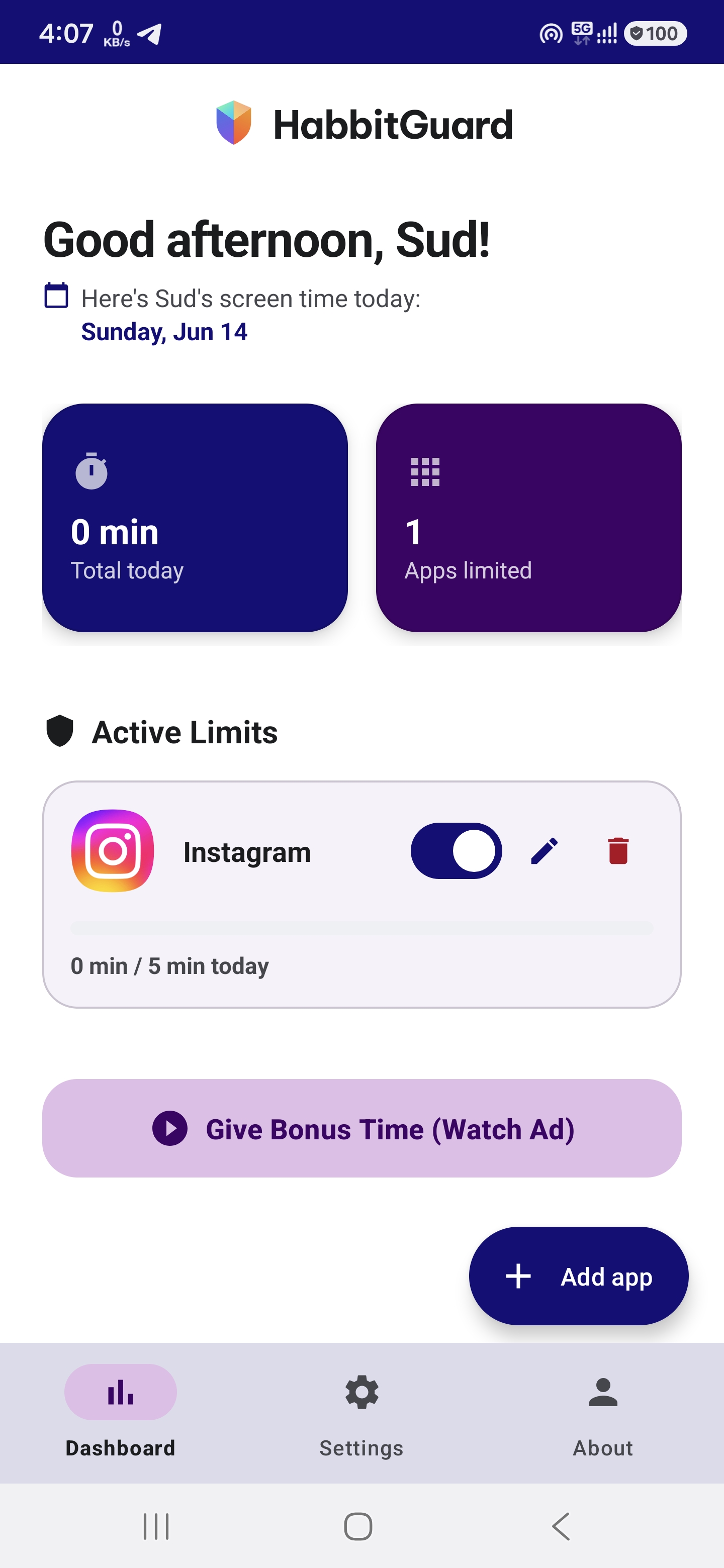
Take back control of screen time. HabitGuard helps parents enforce custom limits on apps like Instagram, TikTok, and games, with foolproof lock screens, offline operation, and custom bonus-time rewards.
Device Admin Protected
App Closed Automatically
Designed to be lightweight, secure, and respectful of your child's data. Everything runs locally on their device.
Set absolute daily limits or session thresholds for specific apps. Once the limit is hit, access is locked instantly.
Lock configurations behind a secure 4-digit PIN using cryptographically secure hashing. Prevents workaround attempts.
Activating Device Admin prevention stops children from bypassing restrictions by simply deleting the app from Settings.
No user data, search histories, or app logs are sent to the cloud. All rules are evaluated directly on the device.
Optionally allow children to watch developer-defined rewarded ads to earn brief bonus minutes. Earn revenue while keeping peace.
Our background service checks active apps in milliseconds. Super low CPU footprint and virtually zero battery drain.
Simple and intuitive screens built using Android's modern Material 3 interface design.
Experience firsthand how HabitGuard intercepts apps and how the parent override works. When a kid tries to open a restricted app (like Instagram) after their limit is reached:
💡 Try it now in the simulation:
8888 in the phone mockup.Install now to play with millions of players!
Getting HabitGuard configured on your child's phone takes less than two minutes.
Enter your child's name, choose a primary parent name, and define a secure 4-digit Parent PIN to safeguard settings.
HabitGuard requests 3 basic permissions: Accessibility Service (to monitor foreground apps), System Overlay (for block screen), and Usage Access.
Add apps to your watchlist and set daily limit durations. Optionally toggle Device Admin to block uninstallation by your child.
Everything you need to know about how HabitGuard operates under the hood.
HabitGuard utilizes the built-in Android **Accessibility Service**. When enabled, the app receives small system events notifying it of changes in the window state (i.e. when a package changes in the foreground). If a package on the restricted list is detected and the limit is reached, it triggers the overlay immediately.
Absolutely not. HabitGuard is designed with a **privacy-first local-only architecture**. The app contains no cloud servers, tracker SDKs, or background telemetry. All app limits, usage logs, PIN hashes, and service processes are stored securely on the local device SQL database (Room DB).
To prevent uninstallation, parents can activate the **Device Admin Receiver** option in settings. Once active, Android restricts standard package uninstallation unless the admin privilege is deactivated inside the app, which requires entering the secure Parent PIN. Additionally, a persistent foreground service with high priority prevents Android from auto-killing the monitor.
As a developer or parent, you can configure Google AdMob ad placements. If enabled, the block overlay displays a watch button. When clicked, the child watches a 15–30 second rewarded video ad. Once completed, the app receives a callback and automatically unlocks the blocked app for a parent-defined duration (e.g. +15 mins). This provides a passive revenue stream while keeping the screen-time rule gamified and compromise-friendly.
No. Unlike other services that use resource-heavy polling loops, HabitGuard is entirely event-driven. The Accessibility Service is only woke by the Android OS when the active window changes packages. Additionally, we guide parents through OEM-specific battery optimization whitelist settings (Xiaomi, Samsung, OnePlus, etc.) to ensure steady operations without battery drainage.